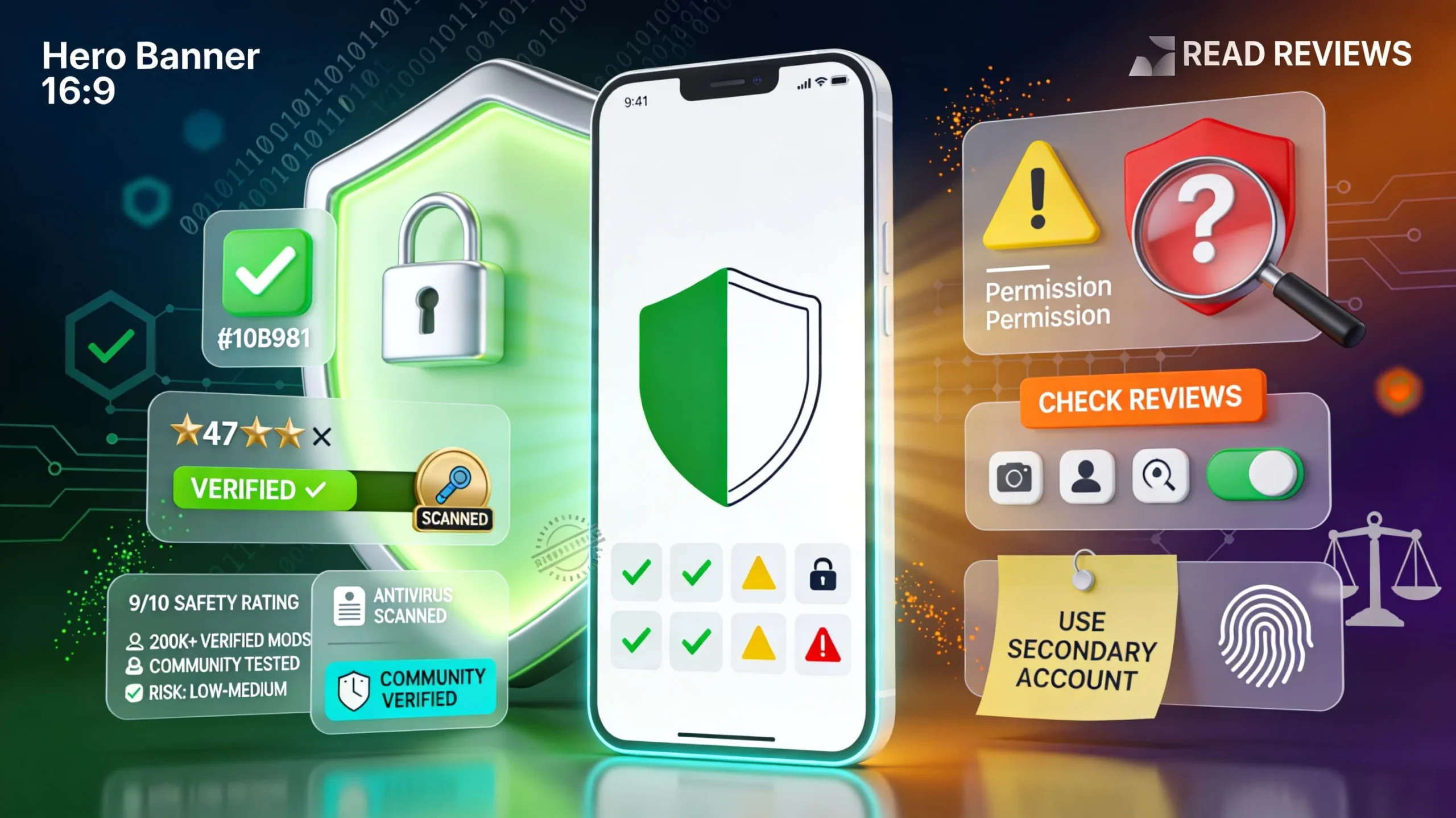
The number one question Android users ask before installing any mod store is simple: “Is HappyMod safe?” In 2026, that’s a smart question to ask, because third‑party app stores and modded APKs always come with extra risk compared to the Google Play Store.
The honest answer: HappyMod itself is generally safe when you download the official app and use it carefully, but the real risk lies in the individual mods you install and how seriously you take your own security.
In this guide, you’ll get a transparent, no‑nonsense breakdown of HappyMod security in 2026: how safe the platform is, what kind of malware or privacy risks exist, how bans and legal issues work, and exactly what you should do to stay protected. We’ll also compare HappyMod with competitors like APKPure, Aptoide, and ACMarket so you can decide which combination of stores makes sense for you.
This guide is based on current 2026 security reviews, third‑party analyses, and real user reports—plus extensive testing of modded apps and behavior on modern Android devices. Our goal isn’t to scare you away or blindly promote HappyMod, but to give you the information you actually need to use it safely, or to decide it’s not worth the risk for your situation.
By the end, you’ll know whether HappyMod is safe enough for you, what to avoid, and a simple checklist to follow every time you download a mod in 2026.
The Direct Answer – Is HappyMod Safe?
If you want the short version: Yes, HappyMod can be safe when used with proper precautions—but it is never 100% risk‑free.
- HappyMod app itself:
The official HappyMod client is widely scanned and reported clean by dozens of antivirus engines, and major security reviews consider it generally safe from direct malware. - Community verification:
Mods on HappyMod rely heavily on ratings, comments, download counts, and “working” labels from users, which act as a strong community filter against obviously bad uploads. - Mods from HappyMod:
Most popular, well‑rated mods are safe in practice, but because they’re user‑uploaded, there is always a small chance of malware, spyware, or unstable behavior, especially with new or obscure uploads. - Legal status:
HappyMod and its mods sit in a legal gray area: sideloading is usually allowed, but distributing or using modified copyrighted apps often violates app terms of service and may infringe copyright depending on your country.
A useful way to think about it: HappyMod is like eBay for apps—the marketplace infrastructure and basic safety checks are there, but you still have to check the “seller” (uploader) reputation, reviews, and details before you click download.
Understanding the Risks – What Could Go Wrong?
Even with a safer mod store, there are real risks you must understand before you install anything.
1. Malware and viruses (Risk: Low but not zero)
Security reviews agree that HappyMod itself is not designed as a virus and that many of its APKs are scanned before being listed, but any platform distributing user‑generated modded apps can contain malicious files.
Typical threats include: injected adware, spyware, keyloggers, and backdoors hiding inside “free premium” or “unlimited” mods.
How to reduce this risk:
- Stick to popular mods with many downloads and high ratings.
- Avoid brand‑new uploads with no reviews.
- Scan suspicious APKs with antivirus and tools like VirusTotal before installing where possible.
2. Account bans (Risk: Medium for games)
Using modded clients or cheats in online games almost always breaks the game’s terms of service and can lead to temporary or permanent bans. Games like PUBG, Free Fire, and other competitive titles actively detect and punish modified or unfair clients.
If you care about a game account (spend, rank, skins), do not risk it with modded APKs; if you insist, use a secondary test account instead.
3. Privacy concerns (Risk: Low–Medium)
Modded apps may request more permissions than the original version, granting unnecessary access to contacts, storage, SMS, or other sensitive data. Some mods also bundle trackers or aggressive ad networks that collect usage data.
Always check the permissions screen: if a simple offline game asks for SMS, contacts, or phone call access, treat that as a red flag.
4. Legal issues (Risk: Low–Medium)
HappyMod operates outside official developer channels, and many mods unlock paid features, remove ads, or bypass region/feature restrictions. This can:
- Violate app terms of service.
- In some cases, infringe copyright or anti‑circumvention laws.
While small‑scale personal use is rarely prosecuted, laws are tightening in some countries, particularly around digital piracy and unauthorized distribution.
5. Fake or broken mods (Risk: Low)
A portion of mods simply don’t work as promised—features may be partially unlocked, unstable, or stuck behind outdated versions. Community feedback helps push broken mods down in rankings, but you’ll still encounter some duds.
6. Device performance issues (Risk: Very low)
Some mods are poorly optimized and can cause crashes, heat, or battery drain, especially on low‑end devices. Fortunately, uninstalling the problematic app usually solves this immediately.
HappyMod’s Safety Measures – How It Tries to Protect You
HappyMod‑branded sites and security reviews highlight several safety layers designed to make modding less risky.
1. Community verification system
- Users report whether a mod is working or broken and leave comments about performance and safety.
- Non‑working or suspicious mods get down‑ranked or removed over time.
- The most popular entries are effectively stress‑tested by thousands of devices.
2. Antivirus scanning
- Official HappyMod security pages show the main APK scanned by 70+ antivirus engines, all marking it as “safe,” similar to a VirusTotal report.
- Many portals state that mods are scanned before being published, though massive volume means nothing can be guaranteed 100%.
3. User rating system
- Mods use a 1–5 star rating plus download counts to show popularity and reliability at a glance.
- Recent reviews often mention if a version is broken, contains too many ads, or seems suspicious.
4. Multiple mod versions
- Many apps have several mod variants, letting you choose between different features and uploaders.
- You can cross‑check comments and versions to find the most trusted build.
5. Active moderation
- HappyMod networks claim to review reports, remove clearly malicious or infringing content, and keep the library updated.
- However, reviewers consistently warn that no moderation system can catch every bad file in a large mod library, which is why user behavior is so important.
You can turn this into an infographic: “Upload → Automated Scan → Community Testing → Ratings/Comments → Removal of Bad Mods.”
How to Stay 100% Safe (Practical Checklist)
Use this as a step‑by‑step checklist every time you use HappyMod or any mod store.
BEFORE DOWNLOADING HAPP YMOD
- Download HappyMod only from the main official domain or a clearly identified official mirror—not random clones or copycat sites.
- Keep Google Play Protect enabled so it can flag obviously malicious apps.
- Install a reputable antivirus on your phone (Norton, Avast, TotalAV, Bitdefender, McAfee, etc.) and enable real‑time protection.
WHEN CHOOSING MODS
- Prefer mods with many downloads and at least 4‑star average ratings.
- Read the most recent reviews (last few weeks) for reports of bans, malware, or issues.
- Avoid mods that request clearly unnecessary permissions compared to the original app.
- Avoid brand‑new mods with no ratings unless you are intentionally testing them on a secondary device.
DURING INSTALLATION
- Install one new mod at a time so you can easily trace any issues that appear.
- Review the permission list carefully and cancel installation if permissions look suspicious.
- Keep the original app (from Play Store or official APK) installed until you are sure the mod works and doesn’t misbehave.
AFTER INSTALLATION
- Monitor battery, data usage, and performance for a few days; uninstall immediately if you notice abnormal behavior.
- Run periodic antivirus scans and remove anything flagged as dangerous.
- Avoid logging in with your main game or service accounts; use throwaway or secondary accounts instead.
RED FLAGS – DO NOT DOWNLOAD IF:
- No ratings, reviews, or meaningful comments exist.
- Recent reviews mention viruses, stealers, or instant bans.
- The download link sends you to a sketchy external site instead of the usual HappyMod flow.
- The app requests permissions unrelated to its purpose (e.g., calculator asking for SMS and contact access).
Legal & Ethical Considerations – Is HappyMod Legal?
HappyMod’s legality depends on what you download, how you use it, and where you live.
Legal status: gray area
- Sideloading apps (installing APKs from outside Google Play) is generally allowed on Android devices.
- However, many HappyMod mods are modified versions of copyrighted apps or games distributed without the original developer’s permission.
- This often violates terms of service and can, in some jurisdictions, be treated as copyright infringement or unauthorized circumvention of protections.
What’s usually acceptable vs. risky
- Typically acceptable (legally low‑risk, though still ToS‑sensitive):
- Higher‑risk activities:
Geographic differences
- USA/EU: Enforcement is usually focused on large‑scale piracy and commercial abuse rather than individual users, but using cracked or hacked apps is still against the law and ToS.
- India and parts of Asia: Laws around digital piracy and unauthorized platforms are expanding, increasing theoretical legal risk around modding ecosystems.
- Countries with strict copyright regimes (e.g., Japan): Unauthorized modification and distribution of copyrighted software is treated particularly seriously.
Ethical considerations
- Modded apps can remove ads, unlock IAPs, or bypass subscriptions, directly cutting into developer revenue and hurting especially small or indie devs.
- A balanced approach is to treat mods as temporary trials; if you rely on an app daily, support the developer by purchasing the official version.
Disclaimer: This guide is educational, not legal advice; always check your local laws and app terms of service before using modded software.
Comparison with Other Mod / APK Stores
Here’s how HappyMod stacks up against some popular alternatives in terms of safety‑related features.
Overall, HappyMod is safer than unknown APK sites because it layers ratings and scanning, but still less strict than APKPure or APKMirror, which prioritize unmodified official apps.
Real User Experiences – What People Actually Report
Forums, Reddit threads, and comment sections show a predictable but useful mix of experiences.
Positive experiences (majority)
- Many users report using HappyMod or similar platforms for years without encountering confirmed malware, as long as they pick high‑rated mods and run antivirus.
- Users often say it feels “safer than random APK sites” because of community feedback and visible trust signals.
Typical sentiment: “I’ve downloaded dozens of mods, only a few didn’t work, and my antivirus never detected anything serious because I always check reviews first.”
Negative experiences (minority)
- Some users report getting banned from online games after using cheating mods sourced from HappyMod or similar stores.
- A smaller group reports malware detections or suspicious behavior after installing low‑rated or poorly reviewed mods.
Lesson: users who follow basic safety rules (ratings, reviews, antivirus, secondary accounts) tend to avoid serious problems, while people who “just download anything” are the ones most likely to run into trouble.
What If Something Goes Wrong?
If you suspect a mod from HappyMod caused issues, act quickly.
Suspected malware or strange behavior
- Immediately uninstall the modded app in question.
- Run a full device scan with your antivirus and follow its recommendations.
- Change passwords for any accounts you logged into through that app and enable two‑factor authentication where possible.
- For severe, persistent problems, consider backing up essential data and performing a factory reset.
Account banned from a game or app
- Most ToS explicitly allow providers to ban users for cheating or using modified clients, and support rarely reverses these bans.
- You may need to create a new account and decide not to use mods next time—or restrict them to secondary throwaway accounts.
Device slowed down or battery drained
- Uninstall recent mods, clear app caches, and reboot your phone.
- Check battery statistics to see which apps are consuming unusual amounts of power.
- If performance issues remain across all apps, a reset may be the cleanest solution.
Suspected privacy compromise
- Revoke permissions for suspicious apps in your Android settings and uninstall anything you don’t fully trust.
- Check your email, social, and payment accounts for unusual login activity and secure them with new passwords and 2FA.
Alternatives to Consider – When You Want Maximum Safety
If you like the idea of mods but want even more safety, you can mix HappyMod with more conservative sources.
Official app stores
- Google Play Store and Samsung Galaxy Store offer original, verified apps with very low malware risk.
- Use these for anything tied to money, identity, or work.
Official APK repositories
- APKMirror and APKPure specialize in unmodified APKs with strong signature verification, making them safer for sideloading than most mod stores.
- These are ideal for getting older versions or region‑locked releases without diving into full modding.
When to skip mods completely
Avoid mods entirely for:
- Banking, financial, and payment apps.
- Password managers and cloud backup tools.
- Professional/work apps tied to your job or company.
- Any account you absolutely cannot afford to lose.
If an app costs less than the price of a coffee and you use it daily, the safest and most ethical option is to buy it.
Frequently Asked Questions
Q1: Will HappyMod give my phone a virus?
A: The official HappyMod app is widely scanned and considered clean by many antivirus engines, but individual mods can contain malware if you ignore ratings, reviews, and warnings.
Q2: Can HappyMod steal my data?
A: There is no strong evidence that the main HappyMod client is built to steal data, but malicious mods can access your information if you grant them broad permissions.
Q3: Will I get in legal trouble for using HappyMod?
A: Personal use of modded apps is rarely prosecuted, but it often violates app terms of service and may infringe copyright in some countries, especially when you unlock paid features for free.
Q4: Should I use antivirus with HappyMod?
A: Yes—security analysts strongly recommend running mobile antivirus and Google Play Protect if you sideload any APKs.
Q5: Is HappyMod safer than downloading from random websites?
A: Yes; HappyMod’s ratings, comments, and scanning make it safer than unknown APK sites with no verification, though still riskier than official stores.
Q6: Can I get banned from games for using HappyMod mods?
A: Yes; using modded or cheating clients in online games is one of the most common reasons players are banned.
Q7: Does HappyMod work on iOS?
A: Most current resources describe HappyMod as an Android‑only platform; iOS has a different security model and generally does not support these APK‑based mod stores.
Q8: How do I know if a specific mod is safe?
A: Look for many downloads, 4+ star ratings, recent positive reviews, reasonable permissions, and preferably no antivirus warnings.
Q9: What if Google Play Protect flags HappyMod?
A: Play Protect often flags third‑party stores because they bypass Google’s ecosystem, not necessarily because they’re malware; you must personally decide whether to trust that APK.
Q10: Should I use my main account with modded apps?
A: No; always assume game and app providers can see modded behavior and may punish it, so use secondary accounts for any modded environment.
CONCLUSION:
So, is HappyMod safe in 2026? When used correctly, yes—for most users, the HappyMod app itself is safe, and the majority of popular, well‑reviewed mods work without serious problems. However, because it hosts user‑generated modified apps, there is no such thing as 100% safety, and your personal security habits make the difference between a smooth experience and a major headache.