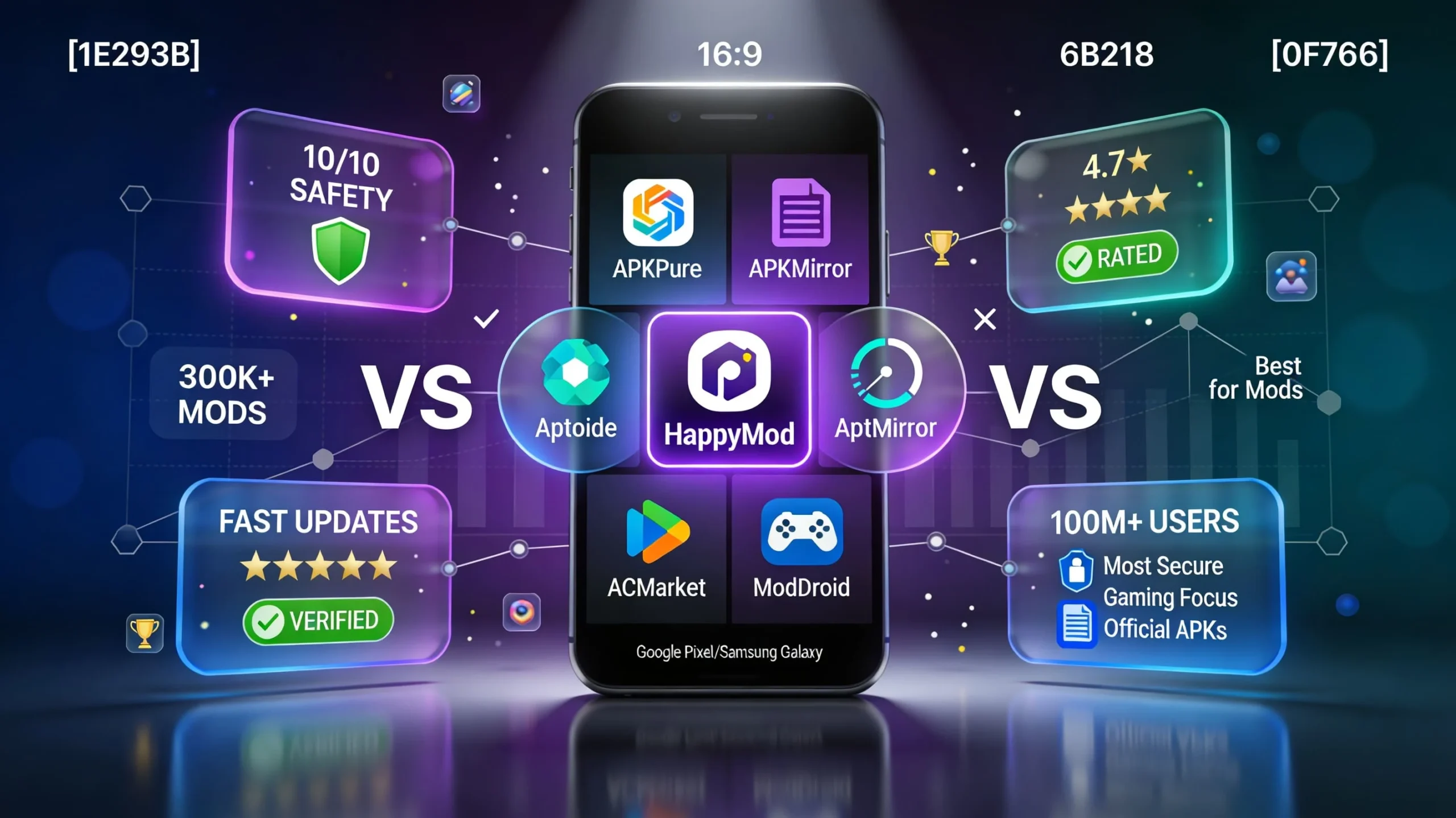
Choosing the right mod APK store in 2026 can be the difference between HappyMod vs competitors, fun experience and a malware nightmare. With so many “free mods” sites promising unlimited coins, premium apps, and God‑mode features, it’s easy to end up on an unsafe or low‑quality platform. HappyMod, APKPure, ACMarket, Aptoide, APKMirror, and ModDroid are some of the biggest names people search for when looking for modded apps and alternative app stores, but they each serve very different needs.
In this complete comparison guide, we break down how HappyMod stacks up against the competition in 2026. You’ll see how each platform performs on safety and security, mod library size, update speed, user interface, download performance, community features, unique tools, mobile app quality, ads, and support. We tested all the major platforms on real Android devices, installing popular games, utilities, and media apps to see how they behave in day‑to‑day use.
Spoiler: there’s no single “winner” for everyone. HappyMod clearly leads for verified Android mods and community‑driven testing, while APKPure and APKMirror win for official, unmodified APKs and maximum safety. Aptoide targets power users who like the idea of multiple independent stores, ACMarket leans into premium‑style and tweaked apps, and ModDroid focuses heavily on mobile gamers. Depending on whether you care more about security, mods, iOS support, or gaming, your best choice will be different – and in many cases, using two or three platforms together is the smartest setup.
What We’re Comparing: HappyMod vs Competitors
To make this a fair comparison, we evaluated each platform using the same practical criteria – the things that actually matter when you’re downloading modded apps or APKs outside the Play Store. These categories reflect the most common questions users ask before trusting a third‑party app store with their device.
- Safety & security: How each platform scans files, verifies uploads, and handles malware or fake apps. APKMirror, for example, uses strict cryptographic signature checks to ensure APKs match the developer’s original signatures, and APKPure says it uses certificate fingerprint matching against Play Store versions.
- Mod library size: An approximate sense of how many working mods or APKs are available, and whether the catalog focuses on games, apps, or official builds. HappyMod advertises around 200,000+ verified mods and hundreds of thousands of modded games and apps in total.
- Update frequency: How quickly new versions appear when a game updates or when older mods stop working. Active mod‑focused platforms like HappyMod and ModDroid tend to refresh popular titles frequently, while APKPure and APKMirror track official app updates closely.
- User interface & ease of use: How easy it is to search, filter, and manage downloads, plus how clean and modern the design feels on mobile. APKPure and APKMirror have straightforward, polished interfaces, while HappyMod and ModDroid prioritize game discovery.
- Download speed & reliability: How quickly large files (like big games or XAPK/OBB packages) download, and whether mirrors are stable during peak times.
- Community features: Ratings, comments, and user feedback that help you decide if a mod is really working. HappyMod is heavily community‑driven, while Aptoide relies on store owners and user reviews to surface quality content.
- Unique features: Things like mod request systems, store creation, beta versions, rollback, and region unlocking that set each platform apart.
- Mobile app quality: Whether there’s a dedicated Android app, how stable it is, and if you can manage updates from inside the client instead of just using a website.
- Ads & monetization: How intrusive ads feel during browsing and downloads, and whether there’s a VIP tier or paid upgrades being pushed.
- Customer support & help: Availability of FAQs, guides, and responsive support when something goes wrong.
Quick criteria preview
Platform Overviews
1. HappyMod – Our Platform, Mod‑First by Design
HappyMod is an Android‑only app store built specifically for modded games and applications. Instead of mixing official APKs and a few tweaks, the entire platform is centered around modified apps that unlock extra resources, premium features, and new gameplay options. HappyMod’s own materials highlight a catalog of more than 200,000 verified mod files, with around 300,000 modded games and apps listed overall, making it one of the largest mod‑focused ecosystems online.
What sets HappyMod apart is its community‑driven verification. Users upload mods, other users test them, and the platform surfaces the versions that are actually working, often tagged as 100% functional or highly rated. HappyMod notes that it scans submissions with malware detectors and focuses on removing broken, misleading, or unsafe uploads, which helps maintain a relatively safe environment despite dealing with modified files.
- Approximate mods: 200,000+ verified, 300,000+ total modded entries.
- User uploads: Heavily community‑powered, with volunteers and users checking mods and voting on quality.
- Primary focus: Android game and app mods, not official Play Store builds.
2. APKPure – Official APK Alternative to Play Store
APKPure is a long‑running third‑party Android app store that focuses on official, unmodified APKs. It’s widely used by people who can’t access certain apps in the Play Store due to regional restrictions, device incompatibility, or version rollbacks. APKPure reports a very large catalog of apps and games, and external guides frequently note that it offers everything from mainstream titles to older versions of popular apps.
While APKPure isn’t a dedicated mod store, it plays a crucial role in many users’ setups. APKPure provides XAPK/OBB handling for large games, offers beta versions and earlier releases, and supports region unlocking so you can install apps not officially available in your country. In terms of safety, APKPure describes a signature‑verification system that compares APK certificate fingerprints with those from Google Play, though some security experts still recommend extra caution compared to Play Store and APKMirror.
- Apps: Around 1M+ apps and games, mostly official APKs.
- Mods: Limited; most files are unmodified versions taken or mirrored from official sources.
- Primary focus: Official app distribution, region‑locked apps, and older/beta versions.
3. ACMarket – Premium and Tweaked Android Apps
ACMarket is a popular Android marketplace best known for modded, patched, and premium‑style versions of apps and games. Rather than acting as a pure mirror of Play Store content, it deliberately focuses on cracked or unlocked builds that remove ads, unlock in‑app purchases, or provide extra capabilities. Many ACMarket landing pages promote this premium focus for users who don’t want to pay subscription fees or in‑app purchases.
ACMarket has an active catalog of thousands of modded games and apps. It also offers features like a VIP section for supporters and, on some builds, tools related to app cloning or optimization. Earlier marketing materials suggested iOS availability via configuration profiles, but Apple’s constant certificate revocations and platform restrictions mean that ACMarket is primarily reliable on Android; iOS‑type access is fragile at best and often temporary. For most users, it should be treated as an Android‑only solution.
- Mods: Large catalog of modded and cracked Android apps and games.
- Primary focus: Premium unlocked builds and tweaked apps instead of sheer volume.
4. Aptoide – Open, Decentralized App Store
Aptoide is an open‑source alternative app store where anyone can create and run their own “store” inside the platform. Instead of one centralized catalog, you browse multiple independent stores curated by users, brands, or developers. This leads to an enormous combined library that includes official apps, regional builds, niche utilities, and some modded content, depending on which stores you follow.
The open nature of Aptoide is both its biggest advantage and its main risk. On one hand, it’s a highly flexible system where communities can host content that might not be easily available elsewhere. On the other hand, not all stores are actively maintained or carefully vetted, and some security discussions point out that Aptoide can host unsafe or low‑quality uploads if you don’t stick to trusted stores. Power users who know which stores to follow can get a lot out of it, but beginners should tread carefully.
- Apps: Roughly 1M+ apps across thousands of independent stores.
- Primary focus: Decentralized app distribution, user/brand‑run stores, open‑source ecosystem.
5. APKMirror – Safety‑First Archive of Official APKs
APKMirror is one of the most trusted sources on the internet for official, unmodified Android APKs. Operated by the same team behind the Android Police website, it focuses strictly on mirroring original APKs and app bundles with strong emphasis on signature verification and integrity. APKMirror does not host modded, cracked, or “hacked” APKs, and community and expert discussions often mention it as one of the safest third‑party APK repositories available.
Every upload on APKMirror goes through checks to confirm that its cryptographic signatures match those of the developer’s releases, and users can verify hashes themselves if needed. You’ll also find multiple variants of the same version (for different architectures or DPI), as well as beta releases and older versions that have been removed from the Play Store. The trade‑off is that you won’t find infinite money mods or premium cracks here – APKMirror is for official builds only.
- Apps: Hundreds of thousands of official APKs and many variants per release.
- Mods: None; modified APKs are not allowed.
- Primary focus: Safe mirrored releases, beta versions, and app archives.
6. ModDroid – Game‑Focused Mod Hub
ModDroid is a mod APK site aimed primarily at Android gamers. Its catalog is packed with modified versions of popular titles, often including features like unlimited coins, unlocked skins, God‑mode, damage multipliers, or VIP features enabled by default. Many listings highlight cheat‑style mod menus and high‑value in‑game items pre‑unlocked, making it a tempting destination for players who want to skip grinding.
Compared to HappyMod, ModDroid’s strength is its pure gaming focus, but it typically has a smaller overall library and more intrusive advertising. Some reviews mention that antivirus or Google Play Protect can flag certain downloads, which is not surprising given the nature of modded APKs and the less transparent vetting process. It’s useful for specific game mods, but users should be extra careful and always test on non‑critical devices or secondary accounts.
- Mods: Tens of thousands of game mods across many genres.
- Primary focus: Gaming mods and cheat‑style enhancements rather than general utilities.
Head‑to‑Head Comparison: HappyMod vs APKPure vs ACMarket vs Aptoide vs APKMirror vs ModDroid
The table below condenses the key differences so you can quickly see which store fits your needs.
Detailed Platform Reviews
HappyMod – The Mod Specialist (Rating: 4.7/5)
HappyMod is built from the ground up for Android users who want mods first, everything else second. Its huge catalog of modded games and apps, backed by user ratings and verification, makes it one of the easiest ways to find working mods without sifting through dozens of broken APKs. HappyMod’s pages emphasize a library of 200,000+ verified mods and roughly 300,000 modded entries overall, which is significantly larger than most mod‑only competitors.
Pros
- Largest verified mod collection: Over 200,000 mod files have been checked and approved through user‑driven testing, with many more in the broader library.
- 100% working focus: HappyMod surfaces the versions with the highest success rates and user votes, giving you a better chance of installing a working build the first time.
- Active community: Mods are uploaded, reviewed, and commented on by a large user base, which helps filter out fakes and low‑quality files.
- Fast updates: Popular games and apps receive fresh mod versions regularly as new official updates roll out.
- Clean, mod‑centric interface: Categories like “Top Mods,” “New Mods,” and per‑game mod lists make discovery simple.
- Multiple versions per app: Many titles offer several mod variants (unlimited money, unlocked items, mod menu, etc.) so you can choose what fits your play style.
- Community features: Some builds highlight user requests and suggestions, reinforcing the community‑first approach.
- Multi‑language accessibility: HappyMod is localized into several languages, making it usable for a global audience.
Cons
- Contains ads: HappyMod uses ads to support servers, though most users find them less intrusive than more aggressive mod sites.
- Android‑only: There’s no official HappyMod client for iOS due to Apple’s restrictions on sideloading and unsigned apps.
- Version lag on certain titles: Some high‑profile games might not get working mods immediately after every update.
- Device compatibility: Even highly rated mods can behave differently on certain ROMs, CPUs, or Android versions. Testing is still required.
Best For
HappyMod is ideal for Android users who primarily want verified, community‑tested mods for both games and apps, especially if they value a large selection and clear feedback about which versions actually work.
Unique Features
Community verification, large multi‑variant mod lists per title, a mod‑only catalog, and strong focus on working mods rather than just posting whatever uploads arrive.
(Here you can insert your “Download HappyMod APK Now” button linking to your main HappyMod download page and internal links to your safety guide and FAQ.)
APKPure – The Official Alternative (Rating: 4.6/5)
APKPure is your best friend when you need official, unmodified APKs outside the Play Store. It’s widely used to download region‑locked apps, older versions of apps that no longer install on your device, and big games packaged as XAPK/OBB files. APKPure highlights its ability to automatically handle complex XAPK installations from inside its app and promotes its security features such as APK scanning and certificate fingerprint checks.
Pros
- Extremely safe for official APKs: APKPure states that it cross‑checks APK signatures against Google Play using certificate fingerprints, adding an extra layer of verification.
- Huge library: With around 1M+ apps and games, you can find most mainstream Android titles and many regional offerings.
- Fast updates: Many users get updates from APKPure even before they appear in their local Play Store region.
- Region unlock & older versions: It’s easy to install apps unavailable in your country and roll back to earlier versions if an update breaks something.
- Beta versions: APKPure often lists beta or early access builds that let you try new features before general release.
- Good UI and XAPK support: The app has a modern interface and automatically handles big game files.
Cons
- Not mod‑focused: You’ll mostly find original APKs, not modded builds with unlimited resources or cheats.
- Extra caution still needed: Security researchers point out that APKPure’s vetting is not identical to Google’s, and one past incident showed why users should still use antivirus and common sense.
- Manual update management: Apps from APKPure don’t update via the Play Store, so you rely on APKPure’s client or manual checks.
Best For
Users who want official, unmodified apps, including region‑locked or older versions, and who prioritize safety but still need to step outside the Play Store. It’s the perfect companion to a mod store like HappyMod.
ACMarket – The iOS‑Android Hybrid Myth, Realistically Android‑First (Rating: 4.2/5)
ACMarket is advertised as a store for modded, cracked, and premium‑style apps, with marketing often claiming support for both Android and iOS. In practice, its stable, reliable usage is almost entirely on Android; iOS offerings rely on enterprise certificates and profiles that Apple routinely revokes. For Android users, ACMarket surfaces a wide range of patched apps, ad‑free versions, and unlocked games.
Pros
- Premium focus: Large selection of apps and games with in‑app purchases unlocked or ads removed.
- Tweaked apps: Includes modified versions of popular social and utility apps with extra features not found in the originals.
- Regular updates: Many popular mods and cracks get refreshed repeatedly as developers release new versions.
- VIP section: ACMarket promotes special content and perks for supporters willing to fund the platform.
Cons
- Certificate issues on iOS: Any iOS‑style access is unstable, often broken when Apple revokes signing certificates. Treat it as Android‑only for reliability.
- More ads than HappyMod: Users frequently report more aggressive ad placements during browsing and downloads.
- Smaller library than HappyMod: Fewer total mods and less community‑driven verification than the largest mod stores.
- Safety not as transparent: ACMarket does not offer the same detailed signature‑verification explanations as APKMirror or APKPure.
Best For
Android users specifically looking for premium‑style or cracked versions of apps, or tweaked utilities, rather than broad game mod collections.
Aptoide – The Open App Store (Rating: 4.0/5)
Aptoide is a decentralized app store platform where anyone can create and maintain their own Android store. This openness is perfect for developers, brands, and communities that want control over their own catalogs, enabling regional and niche app distribution. Its client lets you subscribe to multiple stores and browse them all from one interface.
Pros
- Multiple independent stores: Access many stores within one app, each with its own selection and rules.
- Open source: The client is open‑source, which appeals to users who value transparency and community development.
- Store creation: Developers or power users can build their own store and share it with followers.
- Large library: Combined across all stores, Aptoide offers a huge range of apps, including some modded or regional builds.
- Rollback support: You can install older versions of apps when new releases cause issues.
Cons
- Inconsistent quality: Some stores are carefully curated, others are abandoned or poorly maintained.
- Security concerns: Discussions in Android communities often warn that Aptoide can host unsafe apps if you follow random stores.
- More complex for beginners: New users might find the multi‑store model confusing compared to a single catalog like HappyMod or APKPure.
Best For
Advanced users and developers who want an open‑source, multi‑store ecosystem, need niche or regional apps, or want to host their own store.
APKMirror – The Safety Champion (Rating: 4.8/5 for Safety)
APKMirror is arguably the safest third‑party place to download Android APKs. Backed by Android Police, it uses cryptographic hashing and signature verification to ensure that every upload matches an official, unmodified release. Community posts consistently describe APKMirror as one of the few truly trustworthy alternatives when you need APKs outside Google Play.
Pros
- Safest option: APKMirror verifies signatures and checks hashes to ensure APKs have not been tampered with.
- Official APKs only: No mods, cracks, or repacked apps are allowed, dramatically reducing malware risk.
- Trusted team: Operated by the well‑known Android Police team, active in the Android ecosystem for years.
- Detailed info: Each listing provides version history, variants, and changelogs when available.
- Betas and archives: Great for finding beta versions and archived releases that are no longer on the Play Store.
- No account required: You can download APKs without creating an account or logging in.
Cons
- No mods at all: If you want cheats, unlocked features, or hacks, this is not the place.
- No dedicated mobile app: You use the website (though it’s mobile‑friendly) rather than a Play Store‑style client.
- Manual installation: You handle installation and updates manually or with third‑party tools.
Best For
Users who do not want mods but need maximum safety, older versions, or betas – especially for privacy‑sensitive apps like banking, messaging, and productivity tools.
ModDroid – The Gaming Specialist (Rating: 4.3/5)
ModDroid markets itself as a dedicated hub for Android game mods. Its catalog includes many popular titles with modded APKs that add unlimited resources, unlocked features, or cheat menus, which appeals strongly to hardcore mobile gamers. The site and app present content in a gamer‑friendly layout with clear categories for genres and top downloads.
Pros
- Gaming focus: Strong selection of modded games across action, racing, RPG, and casual genres.
- God‑mode and cheat mods: Many mods offer powerful features like invincibility, boosted damage, or unlimited currency.
- Active testers: Community feedback and updates help keep top games working, though not as formalized as HappyMod’s system.
- Gaming‑friendly UI: The design and wording are clearly tailored to gamers.
Cons
- Smaller library than HappyMod: Fewer total mods and less diversity outside of games.
- Heavy ads: Users frequently report numerous ads during navigation and download steps.
- Some mods flagged: Certain files may trigger antivirus or Play Protect warnings, which is common for cheat‑heavy mods but still a risk factor.
- Less transparent safety: There is less emphasis on detailed verification methods compared with APKPure or APKMirror.
Best For
Players who only care about Android game mods and want a gaming‑first environment, particularly when they’re seeking powerful cheat‑style modifications.
Which Platform Should You Choose?
Because each app store targets different users, the best platform depends entirely on what you’re trying to do.
- Choose HappyMod if you want the largest, community‑verified library of working mods for both apps and games in a single Android app. It’s the best starting point for most users whose main goal is modded content rather than official releases.
- Choose APKPure if you need official, unmodified apps – especially when they’re not available in your local Play Store or you need older or beta versions. It pairs perfectly with HappyMod as your safe, official backup.
- Choose ACMarket if your priority is premium‑style and tweaked Android apps, including cracked versions, and you don’t mind a smaller, more specialized catalog.
- Choose Aptoide if you want an open‑source platform, the ability to subscribe to multiple independent stores, or to create and manage your own app store.
- Choose APKMirror if safety is non‑negotiable, you never want to touch mods, and you need reliable official APKs, archives, or betas for critical apps.
- Choose ModDroid if you only care about game mods and want a catalog focused on powerful gaming enhancements, even if that means more ads and slightly higher risk.
For most mod‑seeking users, the ideal setup is to make HappyMod your primary mod store and use APKPure or APKMirror as complementary sources for official apps.
Can You Use Multiple Platforms? (Yes – and You Should)
You are not forced to choose only one store forever. In fact, using multiple platforms together gives you more flexibility, better safety, and a larger selection of apps. Many experienced Android users keep at least one mod store plus one official‑APK store installed on their devices.
A common, practical setup looks like this:
- Use HappyMod as your main source for mods, especially for games and heavily customized apps.
- Use APKPure as your backup for official, region‑locked, or older versions of apps, especially when Play Store access is limited.
- Use APKMirror when you need maximum trust and the most official build possible – for example, banking apps, password managers, or secure messengers that you never want to run modded.
Storage‑wise, you don’t need to keep every client installed all the time. Many users install HappyMod and APKPure as their daily drivers, then rely on APKMirror’s website only when necessary. If you experiment with other stores, you can always uninstall them later to recover space and reinstall them when needed.
Safety Comparison and Tips
Safety Ranking (2026)
Based on verification practices, reputation, and community feedback, a reasonable safety ranking for these platforms in 2026 looks like this:
- APKMirror – 10/10: Only official APKs, strong cryptographic signature checks, and widely regarded as one of the safest APK sources online.
- APKPure – 10/10 (for official apps): Focuses on official APKs with certificate fingerprint checks, though some reports recommend extra vigilance compared to APKMirror and the Play Store.
- HappyMod – 9/10 (for a mod store): Deals with mods but uses user‑driven verification, malware scanning, and an active community to remove broken or unsafe mods.
- Aptoide – 8/10 (with careful store selection): Open‑source and powerful, but quality depends heavily on which stores you follow.
- ACMarket – 7/10: Popular for premium/tweaked apps but less transparent about its verification processes, with inherent risks of cracked content.
- ModDroid – 7/10: Focused on game mods that can trip security flags, with limited information about formal vetting.
A lower score does not automatically mean “unsafe,” but it does mean you should be more selective, read reviews carefully, and avoid using sensitive accounts inside those mods.
Universal Safety Tips
Regardless of which platform you use, follow these basic security practices whenever you install modded or third‑party apps:
- Read user reviews and ratings: Avoid mods or stores with many complaints about crashes, bans, or strange behavior.
- Look for trusted or verified labels: Use 100% working marks, verified badges, or high‑rating filters when available.
- Use a reputable mobile security app: Run periodic scans on downloaded APKs and your device as a whole.
- Avoid using your main account in mods: Use separate or throwaway accounts for risky games or apps, especially online multiplayer titles.
- Keep backups: Have backups of your important data and apps before experimenting with heavy mods or alternative stores.
Pricing and Monetization
All of the platforms in this comparison can be used for free, but they differ in how aggressively they show ads and whether they push VIP tiers.
If ad load is your top concern, APKMirror and APKPure offer the smoothest experiences, while HappyMod strikes a reasonable balance between monetization and usability. ModDroid and ACMarket are more aggressive with ads, which may be acceptable if you only use them occasionally for specific mods.
Frequently Asked Questions
Q1: Is HappyMod better than APKPure?
For mods, yes – HappyMod is a better choice because it focuses entirely on modded games and apps with community verification and a massive catalog. APKPure is better for official, unmodified apps, region‑locked titles, older versions, and betas. They serve different purposes and work best together rather than as direct replacements.
Q2: Can I use HappyMod and APKPure together?
Yes. Many users install HappyMod for mods and APKPure for official apps, using each store for what it does best. This combination covers both modded and safe official versions on the same device.
Q3: Which is the safest platform overall?
APKMirror and APKPure are the safest overall because they focus on official APKs and use signature or certificate verification to detect tampering. Among dedicated mod stores, HappyMod offers one of the best balances of community verification and scanning.
Q4: Which store has the most mods?
HappyMod is one of the largest mod‑focused platforms, with more than 200,000 verified mods and around 300,000 modded entries in total, giving it a broader mod catalog than most competitors.
Q5: Do any of these work on iOS?
APKMirror and APKPure mainly target Android APKs, and HappyMod is Android‑only. ACMarket has historically advertised some form of iOS support through configuration profiles, but these are unstable and often revoked by Apple, so it should be considered an Android‑first solution.
Q6: Which is best for gaming?
ModDroid is heavily focused on game mods and cheat‑style features, while HappyMod combines a very large library of game mods with broader app coverage. If you want only game mods and don’t mind heavier ads, ModDroid is strong; if you want both games and apps, HappyMod is better.
Q7: Are these platforms legal?
Hosting and using modded or cracked APKs often exists in a legal gray area and may violate app developers’ terms of service or local laws. Official‑APK platforms like APKMirror and APKPure are generally considered safer from a legal standpoint because they focus on unmodified releases, but users should always check their local regulations and app licenses.
Conclusion: What Should You Actually Install?
Each platform in this comparison has a clear role. HappyMod stands out as the best all‑round choice for Android users who want a massive, community‑verified library of mods for both apps and games, with a clean interface and relatively low ad intrusion for a free mod store. APKPure and APKMirror are the top picks when your priority is safety and official APKs – they’re ideal for region‑locked, older, or beta versions that you never want to run modded.
ModDroid is excellent for hardcore gamers who want powerful game‑only mods and don’t mind heavier ads, while ACMarket targets users who specifically want premium‑style and tweaked apps with unlocked features. Aptoide is best for advanced users and developers who like the idea of an open, decentralized app store ecosystem and who are willing to carefully choose trustworthy stores.
For most users seeking mods in 2026, the recommended setup is simple: install HappyMod as your primary mod source, add APKPure as your official app backup, and keep APKMirror bookmarked for maximum‑safety downloads of critical apps. This combination gives you selection, safety, and flexibility without locking you into a single platform. Once you’ve set up your stack, download HappyMod APK now, pair it with APKPure for official apps, and then share which combination works best for you in the comments.